Email Notifications
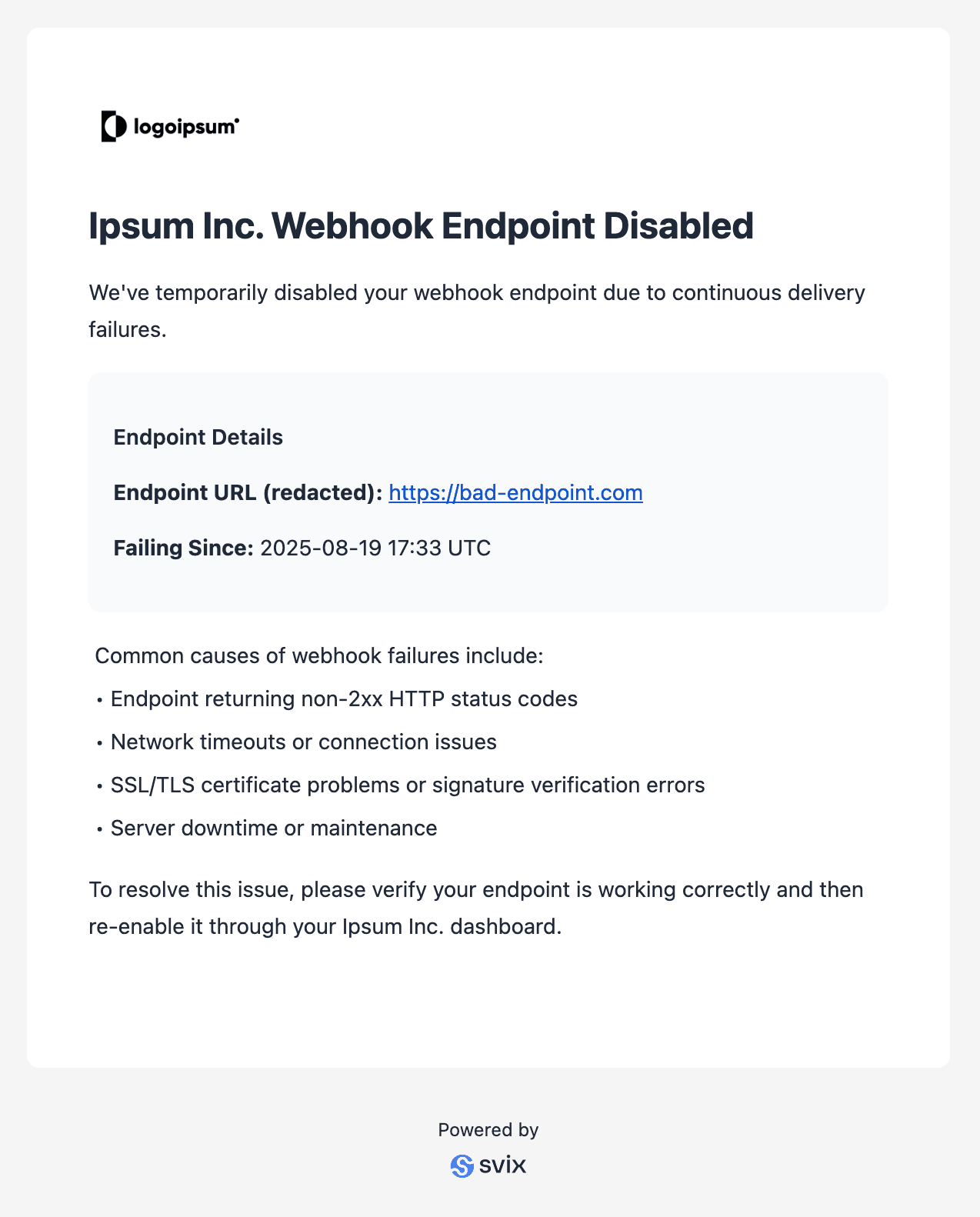
Svix supports sending personalized email notifications to your customers when certain events occur with their webhooks setup. This is useful for keeping customers aware of webhook delivery issues that might affect their integrations.
Email notifications are sent per Consumer Application. For example, when an endpoint for a particular Application is disabled due to repeated failures, Svix will send an email to the configured email address for that application.
Setting up email notifications
Enable email notifications in your organization
To get started, you’ll need to enable email notifications for your organization. Head to the Email Notifications section of the Svix dashboard.
Configure your branding
Personalize the email notifications by adding:
- Company name - The name of your company or service
- Logo URL - A link to your company logo for branding
- Webhooks management page URL - Where your customers can manage their webhook settings
Set the email address for each application
For each application that should receive email notifications, you’ll need to specify an email address. This is done by setting the svix.email field in the Application’s metadata.
You can set the email address when creating an application, or by updating an existing application’s metadata.
When creating an application
import { Svix } from "svix";

const svix = new Svix("AUTH_TOKEN");
const app = await svix.application.create({
  name: "Example customer 123",
  uid: "example-customer-123",
  metadata: {
    "svix.email": "example-customer-123@example.com"
  }
});Updating an existing application
import { Svix } from "svix";

const svix = new Svix("AUTH_TOKEN");
await svix.application.patch("example-customer-123", {
  metadata: {
    "svix.email": "example-customer-123@example.com"
  }
});An example email notification